When your website starts to feel slow
Your website may look fine on the surface. The home page loads, your contact form still works, and customers can still find you on Google.
Then small signs appear.
A page takes longer to open. A plugin update fails. Your hosting panel shows an old PHP version. Someone in your team says the site feels “a bit clunky”, but no one wants to touch it in case something breaks.
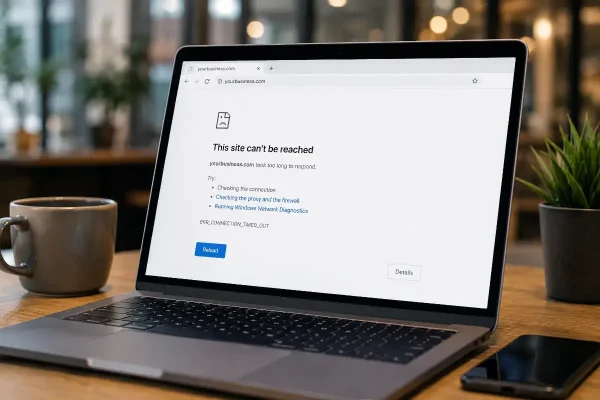
That is often how website problems begin. Not with a crash. With delay.
For many Hong Kong businesses, especially service firms, retailers, clinics, restaurants and small online shops, the website is not just a brochure. It supports enquiries, bookings, payments, trust and search visibility. When the site slows down, your business feels it quietly.
The ageing parts are usually behind the scenes
WordPress depends on more than the pages you can see.
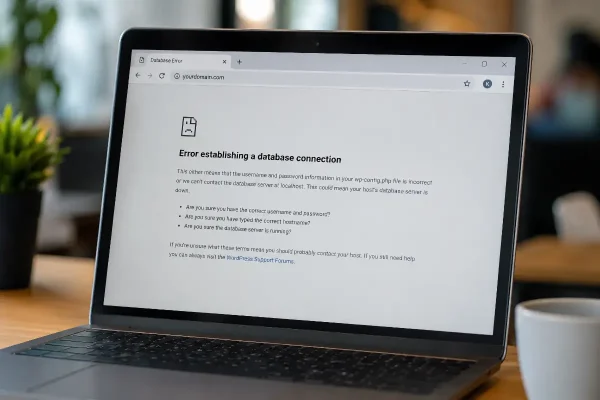
Behind your website are several technical layers: WordPress core, PHP, your database, plugins, theme files, caching, security rules and the hosting server. These parts need to stay compatible with each other.
WordPress currently recommends PHP 8.3 or greater, along with modern database support such as MariaDB 10.6+ or MySQL 8.0+. PHP itself is also maintained on a release cycle, where each branch receives full support first, then security support, before reaching end of life.
Older PHP may still run your site today, but that does not make it a good base for tomorrow.
Think of it like using an older Octopus card reader in a busy shop. It may still process payments, but the moment it becomes unreliable, customers notice before management does.
Why old PHP causes business problems
PHP is the server language that powers WordPress. When it is outdated, the site may become harder to maintain.
Plugins may stop working properly. Newer themes may not save changes as expected. Security tools may warn about compatibility. Your developer may spend more time fixing avoidable issues instead of improving the site.
The risk is higher when your website handles bookings, customer forms, membership areas or WooCommerce payments. A slow or unstable checkout can cost real revenue, especially in Hong Kong where people expect quick mobile experiences and little patience is given to broken forms.
Outdated software also creates security exposure. PHP 7.4, for example, is no longer supported by the official PHP project, and later branches such as PHP 8.2 also have defined support windows.
Speed affects trust before people complain
Most visitors will not send you a message saying your website feels slow, they simply leave.
A potential client in Central searching for a consultant, a parent in Sha Tin checking a tutoring centre, or a customer in Tsim Sha Tsui browsing a menu on mobile will make a quick judgement. Slow pages make a business feel neglected.
That may sound harsh, but online trust is built in seconds.
Your website does not need to be flashy. It needs to load cleanly, work on mobile, keep forms reliable and make it easy for people to contact you.
Keeping WordPress safe is practical, not cosmetic
Website maintenance is not about chasing every new release on the day it appears.
The smarter approach is controlled upkeep. You keep WordPress, PHP, plugins and themes within supported versions. You test changes before applying them to important business functions. You keep backups ready before you touch anything technical.
A supported environment gives your business a cleaner base. Developers can troubleshoot faster. Plugins are more likely to behave. Hosting performance tools can do their job. Security patches can be applied without turning a normal update into a rescue job.
That matters for Hong Kong companies because staff are busy, office leases are expensive, and downtime is not a small inconvenience when your website is part of your sales process.
A safe upgrade process
Start with a full backup of your website files and database. Do not skip this.
Then review your current WordPress version, PHP version, theme and active plugins. Remove anything unused. Old plugins are a common source of risk because they may no longer receive updates or may conflict with newer versions of WordPress.
After that, update plugins and themes in a sensible order. Check the website after each major change.
For PHP, move carefully. If your site is currently on an old version, do not jump blindly and hope for the best. Test the change in staging where possible. Check contact forms, login areas, search, checkout, booking tools and any Chinese language or multilingual features.
Once the site is stable, schedule the live upgrade at a low traffic time. For a Hong Kong business, that may be outside office hours or away from campaign launch dates, public holiday promotions or important sales periods.
What to test after upgrading
Check the pages that matter most to revenue and enquiries.
Open the home page, service pages, contact page and any landing pages used in Google Ads or social media campaigns. Submit a test enquiry. Confirm email notifications arrive. Test mobile layout on iPhone and Android if you can.
For online stores, place a test order using your normal payment flow. Check delivery options, coupon codes, order emails and admin notifications.
Small issues often appear in these practical areas. A button stops responding. A form field fails. A payment gateway needs an update. These are fixable when found early.
Do not turn maintenance into an emergency
Many website problems become expensive because they are ignored for too long.
A planned PHP upgrade is manageable. A broken site during a campaign is stressful. A malware cleanup after an old plugin vulnerability is worse.
Good maintenance feels boring because nothing dramatic happens. That is the point.
For Hong Kong businesses trying to improve search visibility, generate leads or sell online, a stable technical foundation gives every marketing activity a better chance. Google Business Profile, SEO, paid ads and social posts all work harder when the website they send people to is fast and reliable.
Keep your website safe for your clients
Your website should support your business effortlessly.
When the technical base is current, pages load with less friction, forms behave properly, and customers are more likely to complete the action you want. That might be sending an enquiry, booking a consultation, calling your office, or buying from your store.
If your WordPress site feels slower, older or harder to update, it is worth checking before something breaks.
Contact us at Asporea Digital for help with WordPress maintenance, PHP upgrades and website support for the Hong Kong businesses.