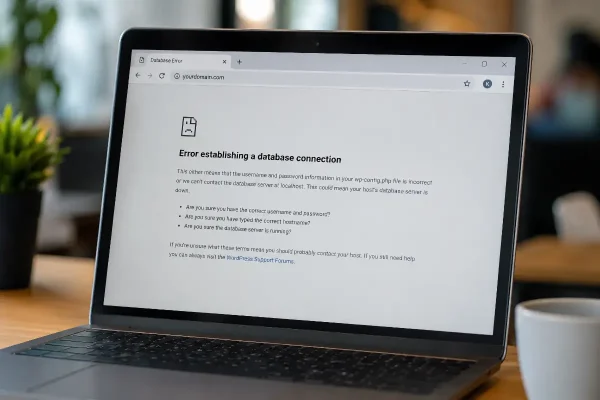
“This site can’t be reached” is one of those errors that feels vague, but the impact is clear. Visitors can’t get through to your website because it isn’t ‘up’.
They may have clicked from Google, typed your domain directly, or followed a link from your email signature. Instead of your website, they see a browser error.
For many business owners, this looks like a WordPress problem. Sometimes it is. Often, it sits around WordPress rather than inside WordPress itself.
That is why it needs the right kind of support. Someone needs to check the domain, DNS, hosting, nameservers, SSL, CDN, and WordPress setup together. Looking at only one part can miss the real cause.
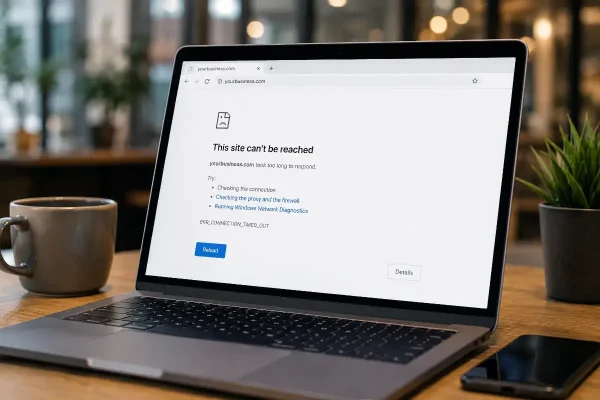
What This site can’t be reached means
When a browser says “This site can’t be reached”, it usually means the browser cannot find or connect to the server that should load your website.
Your WordPress website may still exist. The files may still be on the hosting server. The database may still be intact. Your content may not be lost.
The issue is often that the path between the domain name and the website hosting is broken.
That path depends on several moving parts, including your domain registration, DNS records, nameservers, hosting account, SSL certificate, and sometimes a CDN service such as Cloudflare.
When one of those settings is wrong or incomplete, visitors may not be able to reach the site at all.
Why this can happen
There are several common causes.
Your domain may have expired. DNS records may have been changed incorrectly. Your hosting account may have been suspended. Nameservers may have been updated but not completed properly. A CDN or firewall service may have been added without the correct settings.
To a website visitor, all of these problems can look the same. The website does not load.
To a WordPress support team, the difference matters. An expired domain is handled differently from a DNS mistake. A hosting suspension is different from a Cloudflare configuration issue. A nameserver problem is different from a WordPress error.
The fix starts with finding where the connection is failing.
Why this is a technical repair
This kind of error often sits across multiple systems.
A support team may need to check the domain registrar, DNS zone, hosting control panel, nameserver records, SSL configuration, CDN settings, and WordPress installation.
That may involve checking items such as:
- Domain registration status
- Nameserver settings
- DNS A records and CNAME records
- Hosting account status
- Server IP address
- SSL certificate status
- CDN or Cloudflare configuration
- Redirect behaviour
- WordPress site address settings
These are technical settings, and they need to match. One wrong value can take the site offline.
The risk is that many business owners try to fix the visible error by changing several things at once. That makes troubleshooting harder. It can also extend the outage because DNS changes can take time to update across the internet.
What you can check before asking for support
There are a few safe checks you can make.
Check whether your domain registration is still active. Look for renewal emails from your domain provider. Confirm your hosting account is paid and active. Review any recent messages from your hosting company about suspension, malware, billing, or server maintenance.
Also think about what changed recently.
Did you move the website to new hosting? Did you change domain providers? Did someone update nameservers? Was Cloudflare added? Did a web developer, marketing agency, or IT provider make DNS changes? Was there a recent SSL certificate issue?
These details help a support team diagnose the problem faster.
When to stop trying to fix it yourself
Stop if you are about to change nameservers, delete DNS records, reset Cloudflare settings, point the domain to a new IP address, or restore WordPress without knowing the real cause.
Those changes can be perfectly safe when done correctly. They can also create new problems when made under pressure.
For example, deleting the wrong DNS record can stop email from working. Changing nameservers can disconnect the site from its current DNS records. Updating the wrong IP address can point the domain to the wrong server. Misconfigured Cloudflare settings can cause redirect loops, SSL errors, or intermittent downtime.
This is why the first job is diagnosis, not guessing.
How Asporea Digital can help
Asporea Digital provides WordPress support for Hong Kong businesses that need their website back online quickly.
We can investigate whether the issue is caused by the domain, DNS, hosting, CDN, SSL, or WordPress configuration. Once the cause is clear, we can take the right repair path and help restore access to the website.
Our role is to remove the guesswork.
You do not need to become a DNS technician to get your website working again. You need a support team that understands how domains, hosting, DNS, CDNs, and WordPress work together.
Local WordPress support for Hong Kong businesses
Asporea Digital helps Hong Kong businesses that rely on WordPress for enquiries, bookings, online sales, service information, and day-to-day credibility.
When your website cannot be reached, the priority is simple: find the break in the chain and get the site loading again.
Some DNS and domain issues are straightforward. Others need deeper investigation, especially when several providers are involved. That may include a domain registrar, hosting company, Cloudflare account, email provider, and WordPress administrator.
Having a local WordPress support team available means you are not left trying to work out which provider to contact first while your website is offline.
Need help with this WordPress error?
If your website is showing “This site can’t be reached”, or visitors are reporting DNS errors, Asporea Digital can help you investigate and repair the issue. Contact us for fast and reliable support in English language.